
Overview
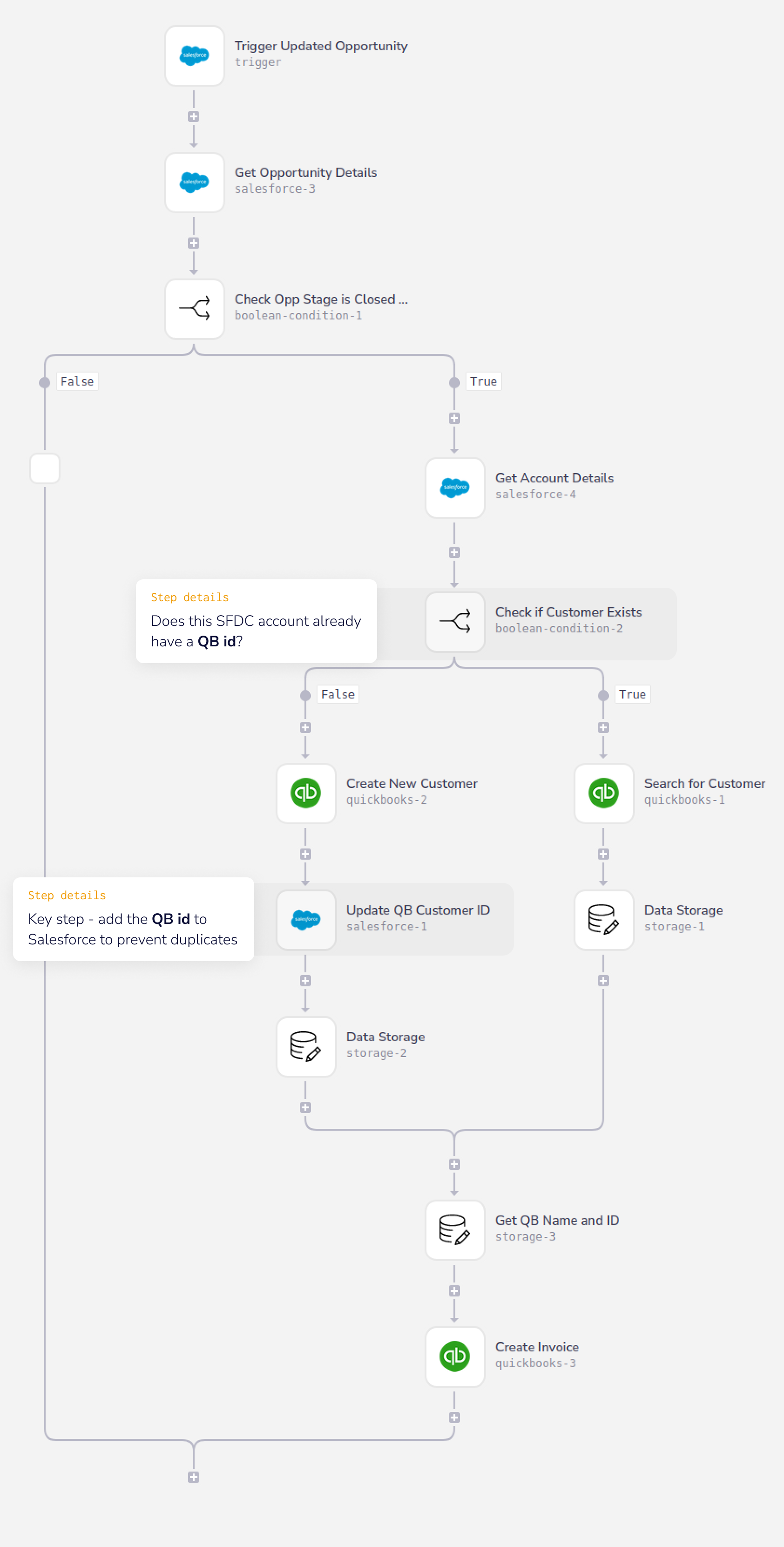
When sales opportunities are closed many actions can happen afterwards. In this template when an opportunity is marked as “Closed - Won” in Salesforce, an invoice will be created within Quickbooks Online. If that customer does not exist in QuickBooks Online it will be created then it will create the Invoice and create a relationship between Salesforce and Quickbooks for future reference. The business value this brings is:
- Little to no processing time for finance teams
- Improved visibility for finance teams by allowing them to focus on reviewing invoices instead of creating them.
Prerequisites
This workflow assumes the following:
- You can authenticate with Salesforce
- You can add a new custom field to the Account Object within Salesforce (used for housing the QuickBooks customer id)
- You can authenticate with QuickBooks Online
Getting Live
To configure the workflow for your own use:
Implementation notes
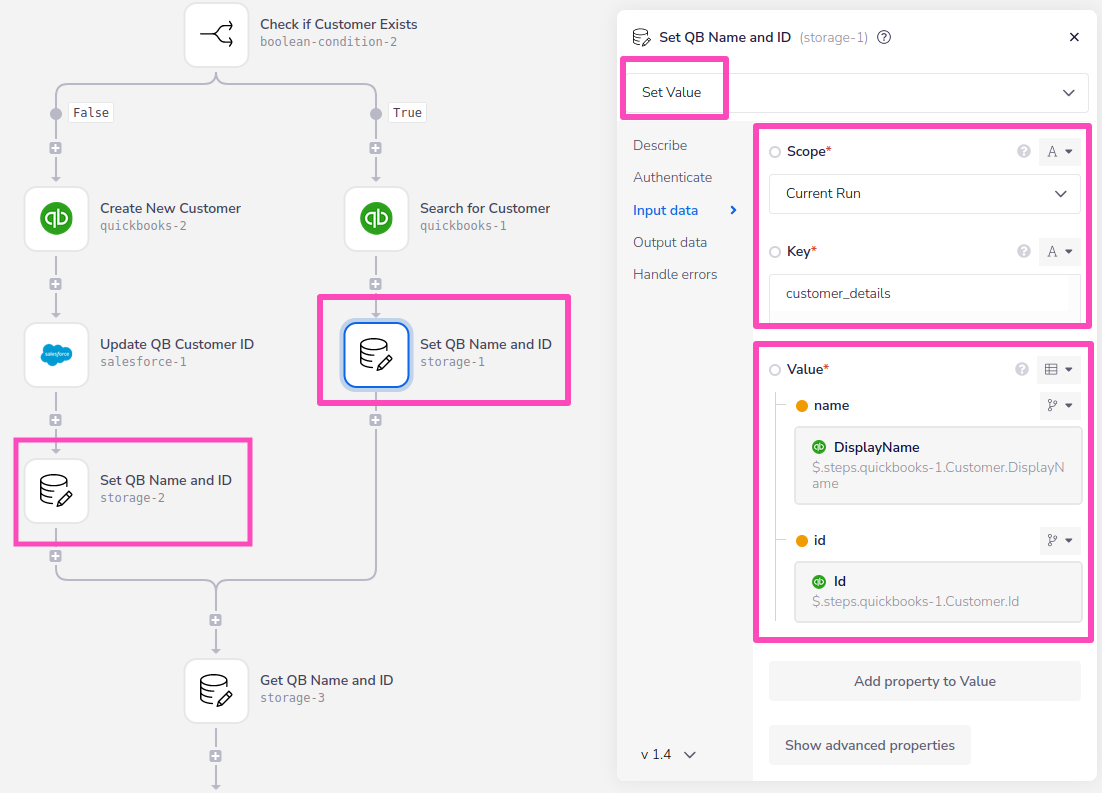
A key part of this workflow is using data storage to set the name and Id of the customer:
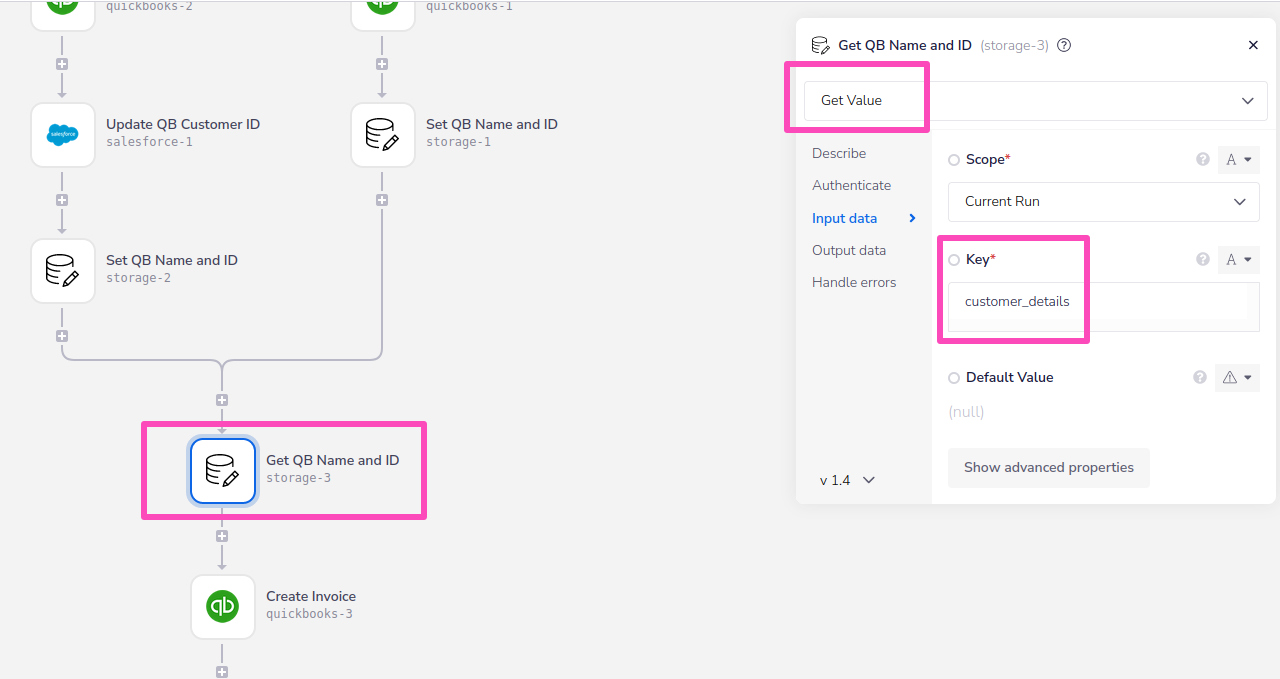
 These can then be retrieved in order to create the invoice:
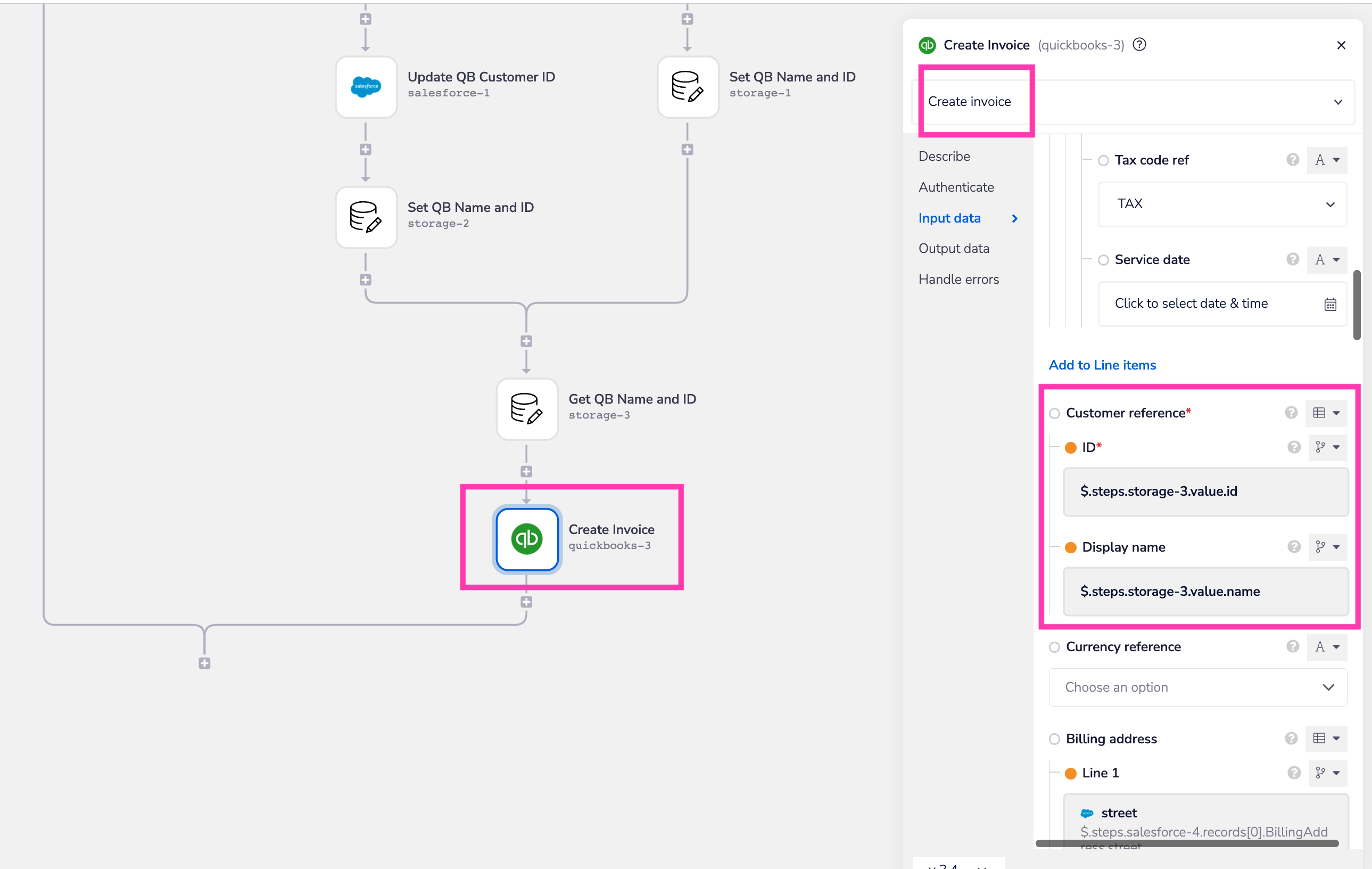
 And you can see that they are passed as the 'Customer reference' details: