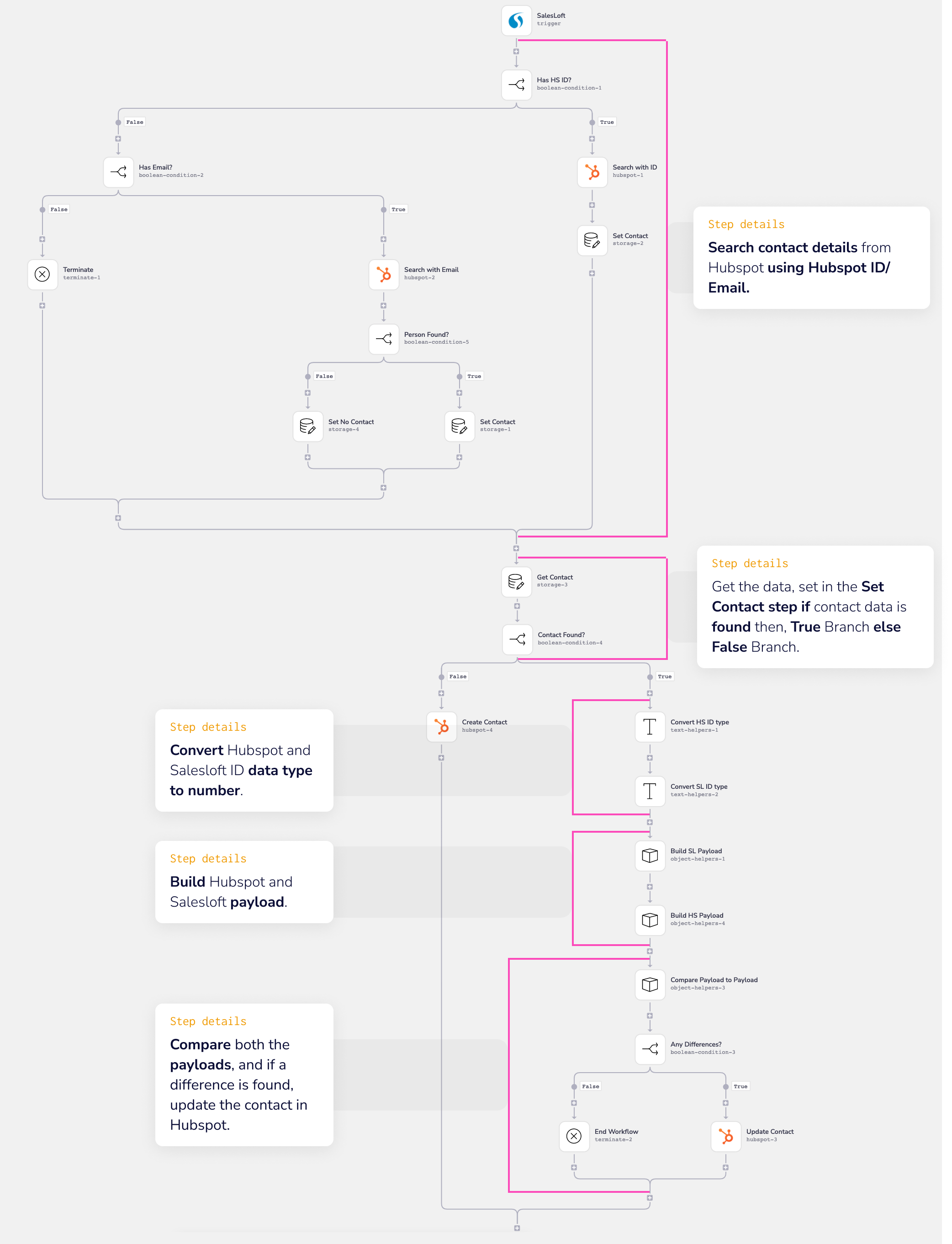
Overview
This workflow template demonstrates how to download a CSV file from Amazon S3, create a CSV file using the downloaded file's data and loop through it. This enables you to extract information from a CSV file and do whatever you wish with it - create contacts / accounts within a CRM, or anything you please.
Connectors Used
The following connectors are used in this template. This is provided for reference only - there is no need to read through the linked connector pages, as all you need to know for this template is explained here:
End Result
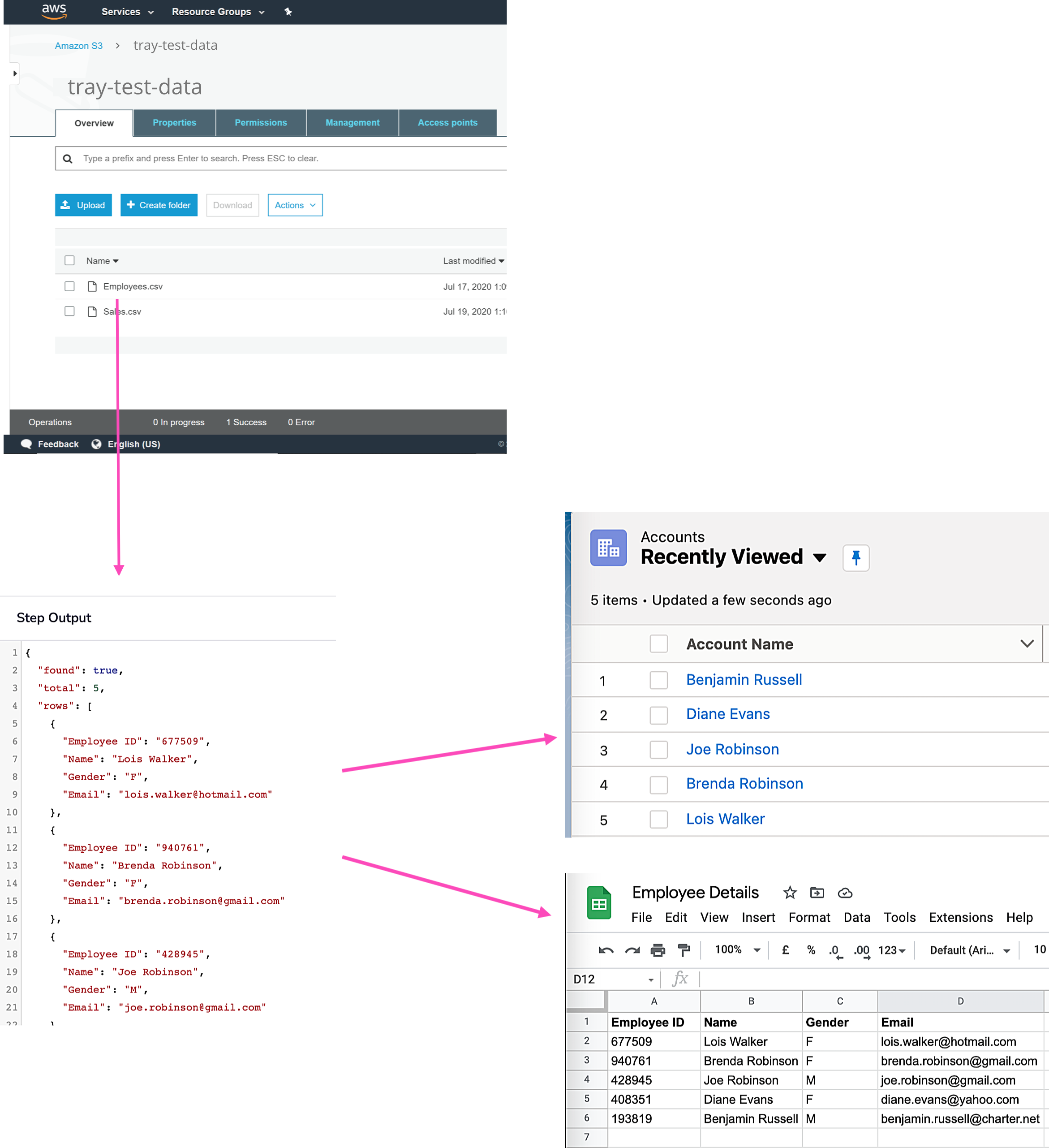
The following graphic demonstrates the process of downloading a csv from S3, using Tray to extract the data and sending it to a service of your choice (Salesforce or Google Sheets in this case):
Prerequisites
This workflow assumes the following:
- You can authenticate with AWS S3.
Getting Live
Workflow logic
The overall logic of the workflow is:
- The workflow is triggered by a manual trigger but can be modified for your specific use case.
- Once the workflow is fired, it gets the URL of the specified CSV file from the selected S3 bucket.
- Using the file's URL, a CSV file is created.
- Later, the workflow returns all the rows from the specified CSV file using the Get Rows operation.
- Next, all the rows returned in the previous step are looped and sent to the Salesforce step for further use.
The Salesforce connector within the workflow is a generic placeholder for whatever you wish to do with the CSV records. For detailed instructions, refer to Determine how to process the CSV file records in the Getting live section.