
Deepseek
Connect to Deepseek AI platform for advanced AI model interactions
Overview
Deepseek is an AI platform that provides advanced language models and AI capabilities. This connector enables integration with the Deepseek API, allowing workflows to interact with Deepseek's AI services.
The Deepseek connector uses a Raw HTTP Request operation, providing flexibility to access any endpoint in the Deepseek API. This approach allows users to leverage the full range of Deepseek's AI capabilities within their automated workflows.
API Information
The Base URL used for the Deepseek connector is https://api.deepseek.com/.
More information about the Deepseek API can be found in the Deepseek API documentation.
Authentication
The Deepseek connector uses API Key authentication. Follow these steps to obtain and configure your API key.
Getting Your API Key
To create an API key for the Deepseek connector:
-
Sign in to platform.deepseek.com
-
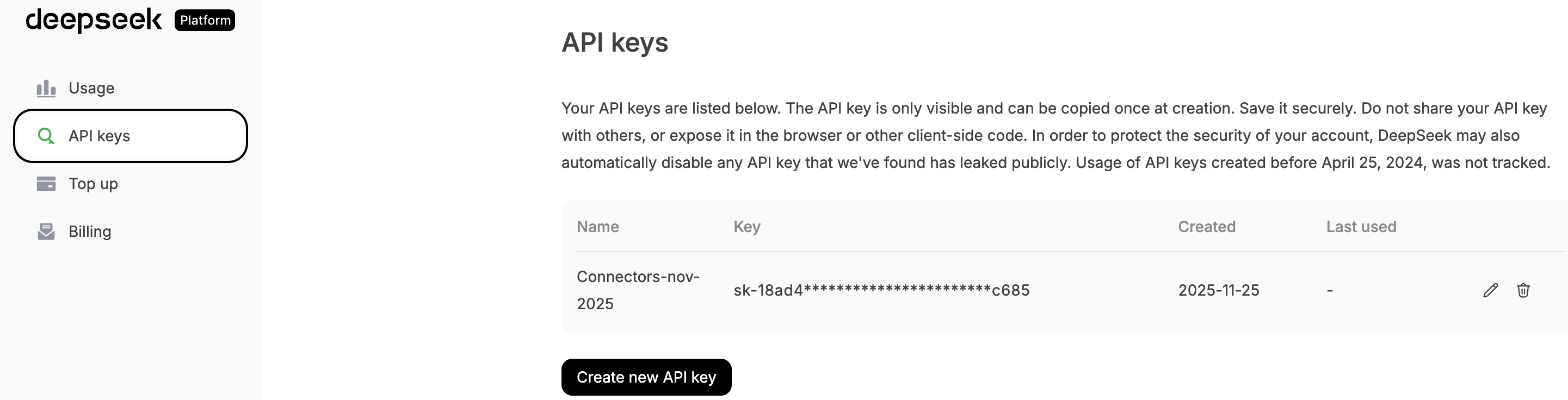
Navigate to the API keys section from the sidebar
-
Click Create new API key
-
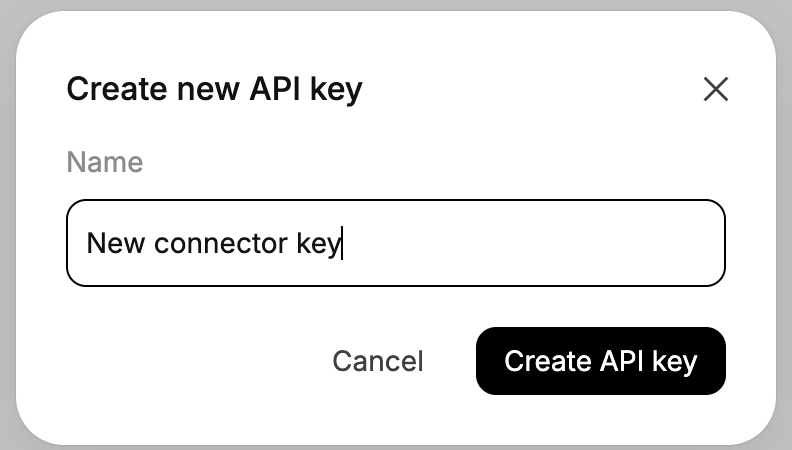
Enter a descriptive name for your API key (e.g., "Tray Integration")
-
Click Create API key
-
Copy the generated API key immediately
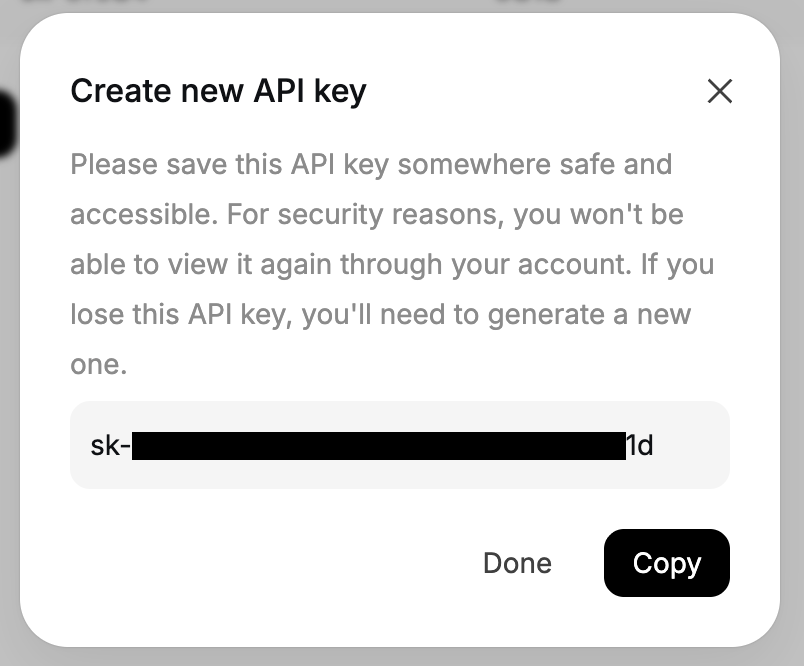
The API key is only displayed once at creation. Store it securely, as you will not be able to view it again through your account. If you lose the API key, you will need to generate a new one.
Configuring Authentication in Tray.io
After obtaining your API key from the Deepseek platform:
- In your Tray workflow, add the Deepseek connector
- Click the Auth tab
- Click New Authentication
- Enter a name for this authentication (e.g., "Deepseek Production")
- Choose the visibility: Personal or Organizational
- In the API Key field, paste the API key you copied from Deepseek
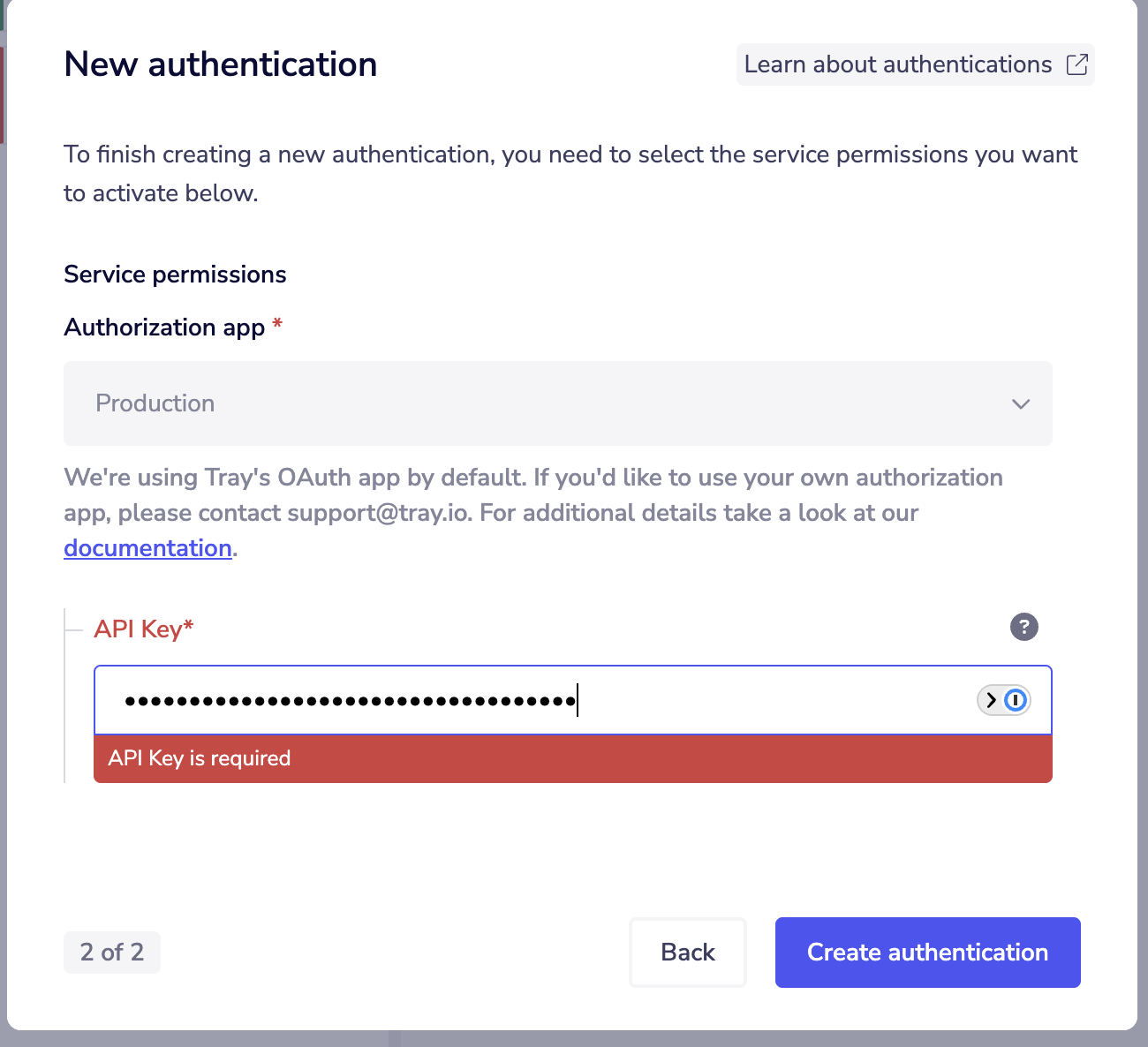
- Click Create authentication
Store your API key securely in Tray's authentication system. Never share your API key publicly or commit it to version control.
Main Operations
The Deepseek connector provides a Raw HTTP Request operation that allows you to make custom API calls to any Deepseek API endpoint.
Raw HTTP Request
The Raw HTTP Request operation provides full flexibility to interact with the Deepseek API. You can:
- Make GET, POST, PUT, DELETE, and PATCH requests
- Access any endpoint in the Deepseek API
- Customize headers, query parameters, and request bodies
- Handle responses according to your workflow requirements
This operation is designed for users who need to access specific Deepseek API functionality. Refer to the Deepseek API documentation for details on available endpoints, request formats, and response structures.
Use Cases
Common automation scenarios using the Deepseek connector:
- AI Model Interactions - Integrate Deepseek's language models into workflows for text generation, analysis, or processing tasks
- Custom API Integration - Build workflows that leverage specific Deepseek API endpoints for specialized AI operations
- AI-Powered Automation - Incorporate Deepseek's AI capabilities into business processes for intelligent automation
Available Operations
Please see the Full Operations Reference at the end of this page for complete details on all available operations.