
Grok
Connect to X.AI's Grok API for AI-powered automation and intelligent workflow integration
Overview
Grok is X.AI's advanced AI service that provides powerful language model capabilities for automation and intelligent data processing. This connector enables seamless integration between Tray.io workflows and the X.AI Grok API, allowing you to incorporate AI-powered responses, text analysis, and intelligent automation into your business processes.
The Grok connector provides flexible API access through raw HTTP requests, giving you complete control over how you interact with X.AI's services.
API Information
The Base URL used for the Grok connector is https://api.x.ai/.
The connector uses API version v1 and supports the full range of X.AI Grok API endpoints.
More information can be found in the X.AI API documentation. Rate limits can be configured on a per-key basis in the xAI console, with default values of 500,000 tokens per minute (TPM) and 500,000 requests per minute (RPM).
Authentication
To authenticate with the Grok connector, you need to obtain an API key from the xAI console. Follow these steps to set up authentication:
Step 1: Sign into xAI Console
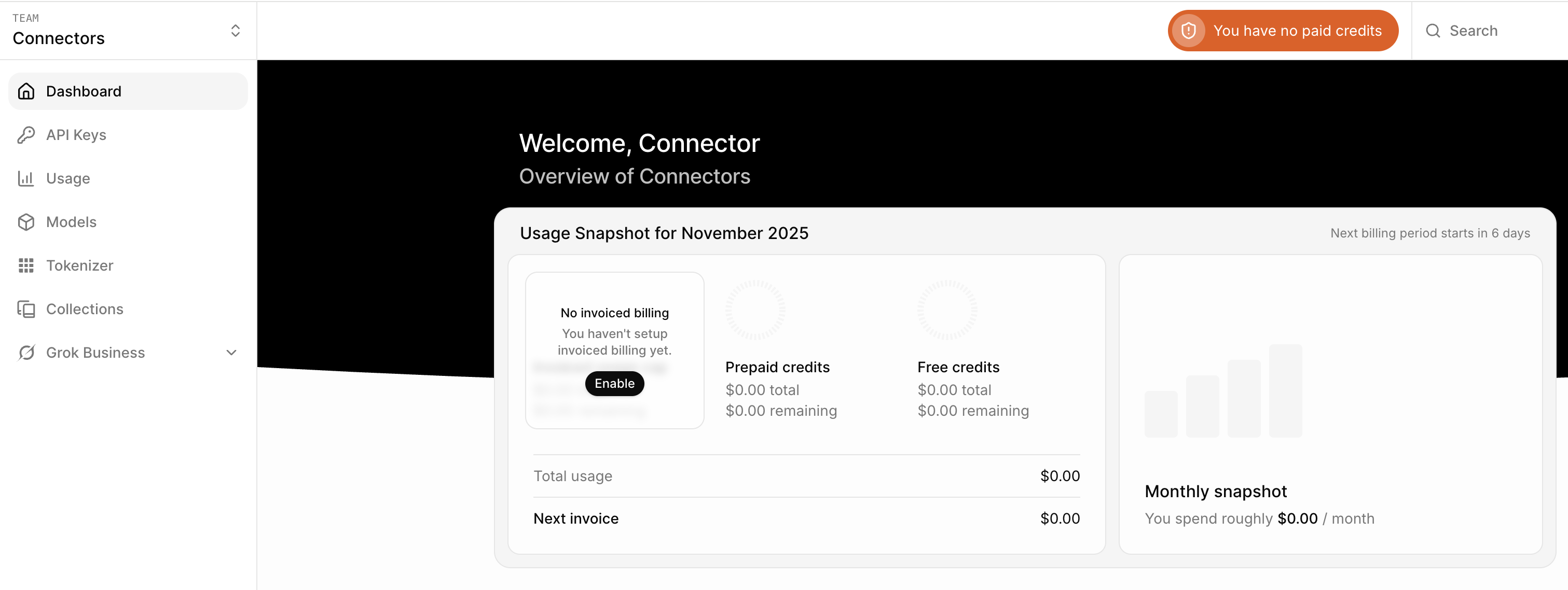
Log into your xAI account at the xAI console. After logging in, you'll see the main dashboard with navigation options in the left sidebar.
Step 2: Navigate to API Keys
In the left sidebar, click on API Keys to access the API key management page.

The API Keys page displays any existing keys and provides options to create new ones.
Step 3: Create a New API Key
Click the Create API key button in the top right corner of the page to start creating a new key.
Step 4: Enter Key Details
In the Create API key dialog, enter a descriptive name for your key. A clear name like "Tray Integration" or "Production Workflows" helps you identify the key's purpose later.
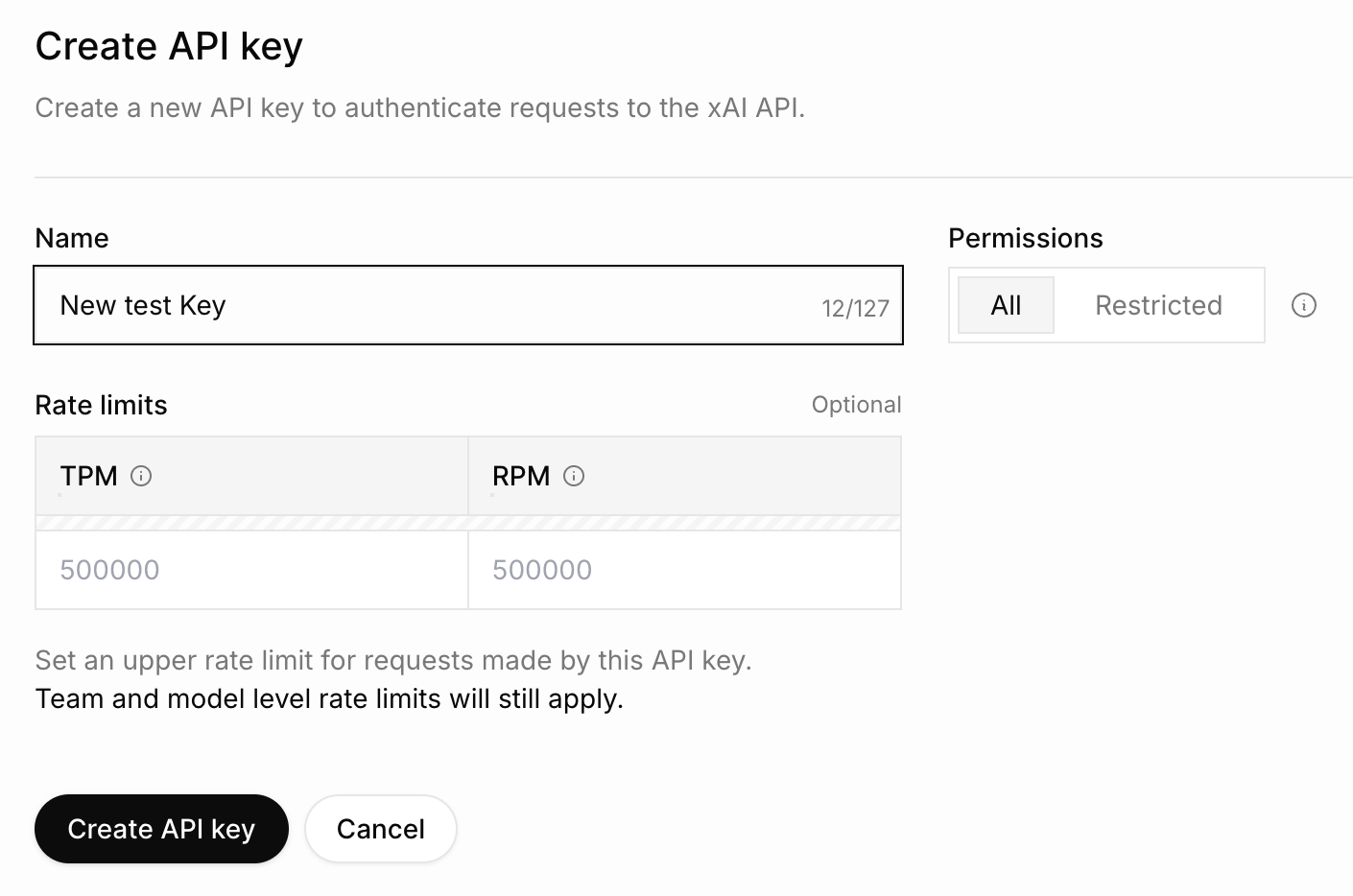
You can optionally configure:
- Permissions: Choose between "All" (full access) or "Restricted" (limited access)
- Rate Limits: Set custom TPM (Tokens Per Minute) and RPM (Requests Per Minute) limits, or use the defaults of 500,000 for each
Team and model level rate limits will still apply even if you set custom limits for your API key.
Step 5: Generate the API Key
Click the Create API key button at the bottom of the dialog to generate your key.
Step 6: Copy the API Key
Once created, the API key will be displayed on screen. This is the only time you will be able to see the complete API key.
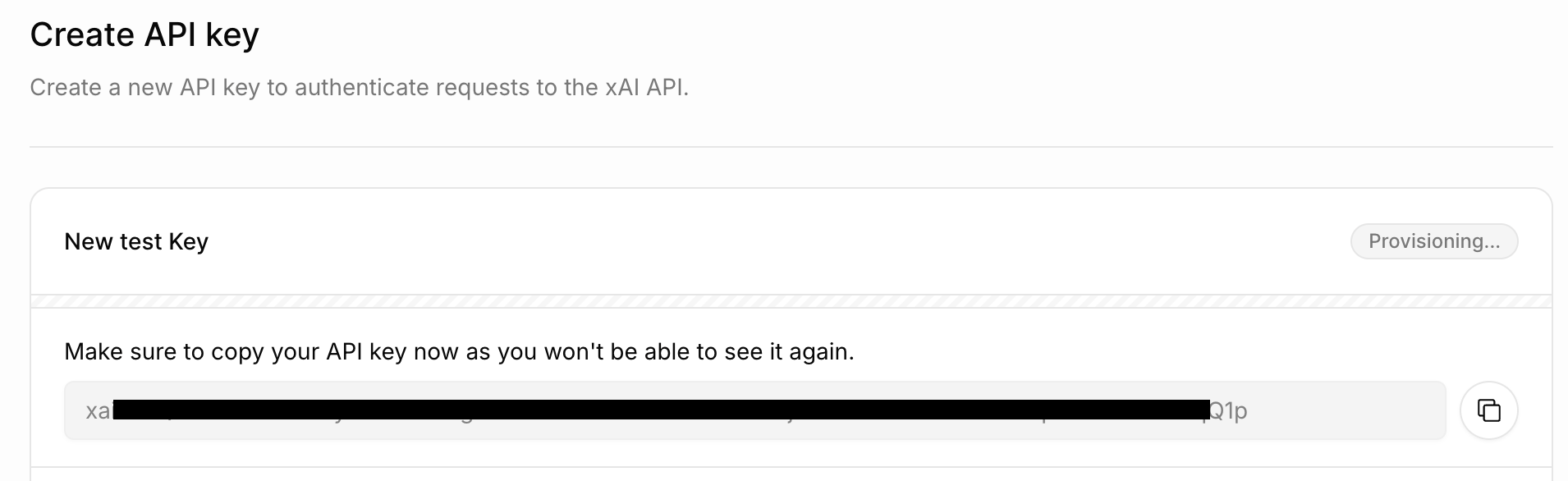
Make sure to copy your API key now as you won't be able to see it again. Use the copy button to ensure you capture the entire key, then store it securely.
Step 7: Configure Authentication in Tray.io
Now that you have your API key, configure it in your Tray.io workflow:
- Add the Grok connector to your workflow
- Click on the connector to open its configuration
- Select the Auth tab
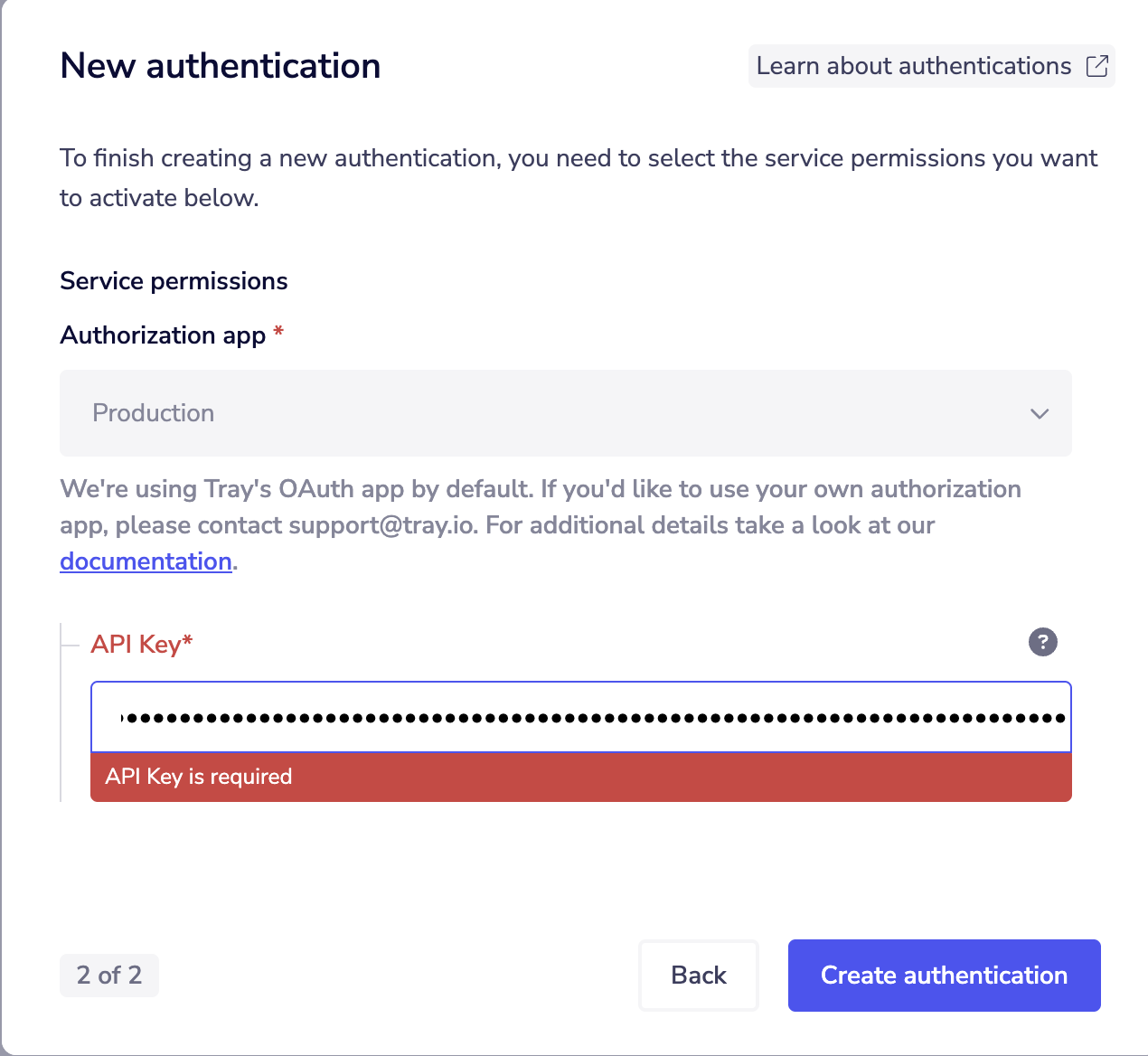
- Click New Authentication
- Choose your authorization app (Production or another environment)
- Paste your copied API key into the API Key field
- Click Create authentication
- Never share your API key publicly or commit it to version control
- Store API keys securely using Tray's authentication system
- Use separate API keys for development and production environments
- Rotate keys periodically for enhanced security
Available Operations
The Grok connector provides flexible access to the X.AI API through the following operation:
Raw HTTP Request
The Raw HTTP Request operation enables direct HTTP requests to any X.AI Grok API endpoint. This provides complete flexibility to interact with the API, allowing you to construct custom requests with full control over HTTP methods, headers, URL paths, and request bodies.
Key features:
- Method: Configurable (GET, POST, PUT, DELETE, PATCH, etc.)
- Base endpoint:
https://api.x.ai/ - Authentication: Handled automatically using your configured API key as a Bearer token
- Flexibility: Access any endpoint supported by the X.AI API
Use this operation when you need to:
- Call specific X.AI API endpoints
- Send custom request payloads
- Implement AI-powered features using Grok's capabilities
- Integrate with new API endpoints as they become available
The connector automatically includes your API key as a Bearer token in the Authorization header for all requests. You only need to specify the endpoint path, HTTP method, and request body.
Use Cases
Common automation scenarios using the Grok connector:
- AI-Powered Text Generation - Generate intelligent responses, summaries, or content using Grok's language model capabilities
- Intelligent Data Analysis - Process and analyze large volumes of text data with AI-powered insights
- Automated Customer Support - Create workflows that use Grok to provide intelligent responses to customer inquiries
- Content Processing - Transform, summarize, or enhance content as part of your workflow automation
- Multi-Service Integration - Combine Grok's AI capabilities with other services to create intelligent, automated workflows
Additional Information
This connector uses the Raw HTTP Request mode for maximum flexibility in accessing the X.AI API. Refer to the X.AI API documentation for detailed information about available endpoints, request formats, and response structures.
Rate limits are configured per API key in the xAI console and can be adjusted based on your usage needs. The connector supports all standard HTTP methods and passes authentication automatically using your configured API key.
Available Operations
Please see the Full Operations Reference at the end of this page for complete details on all available operations.