
OpenAI
OpenAI aims to develop and direct artificial intelligence (AI) in ways that benefit humanity as a whole. They are most famous for creating ChatGPT.
Overview
OpenAI is an institute that aims to develop and direct artificial intelligence (AI) in ways that benefit humanity as a whole. They are most famous for creating ChatGPT. It can generate, edit, and iterate with users on both creative and technical tasks. It can generate text and image based responses. Such as composing code snippets, testing frameworks, songs, screenplays, or even learning a user's writing style.
API Information
The default Base URL for the OpenAI connector is https://api.openai.com/v1. More information can be found on the OpenAI API documentation (v1.0) site.
For Azure OpenAI deployments, see the Azure OpenAI documentation for configuration instructions.
Authentication
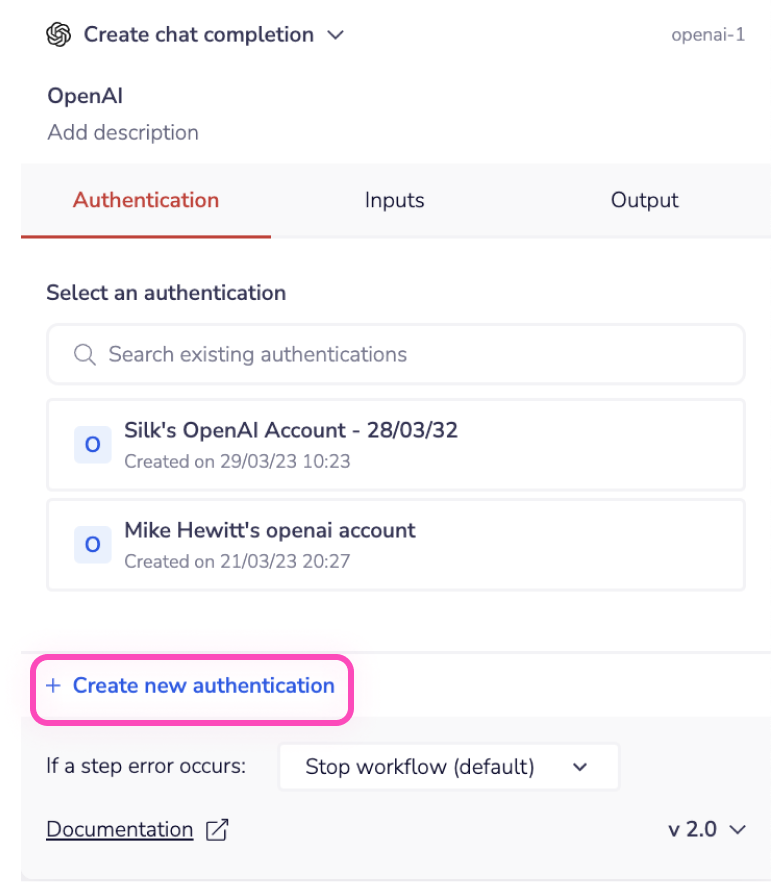
When using the OpenAI connector for the first time, you need to create a new authentication.
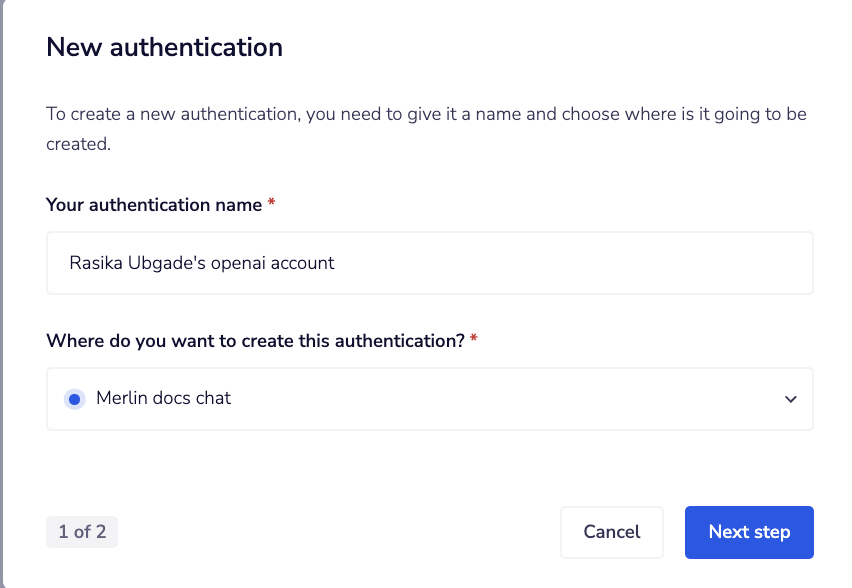
 Name your authentication and specify the type ('Personal' or 'Organizational').
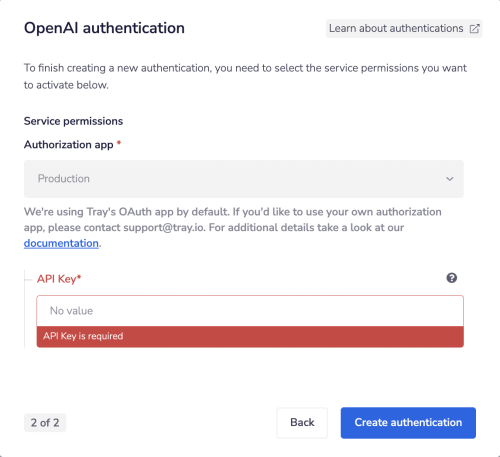
 The next page asks you for your API Key.
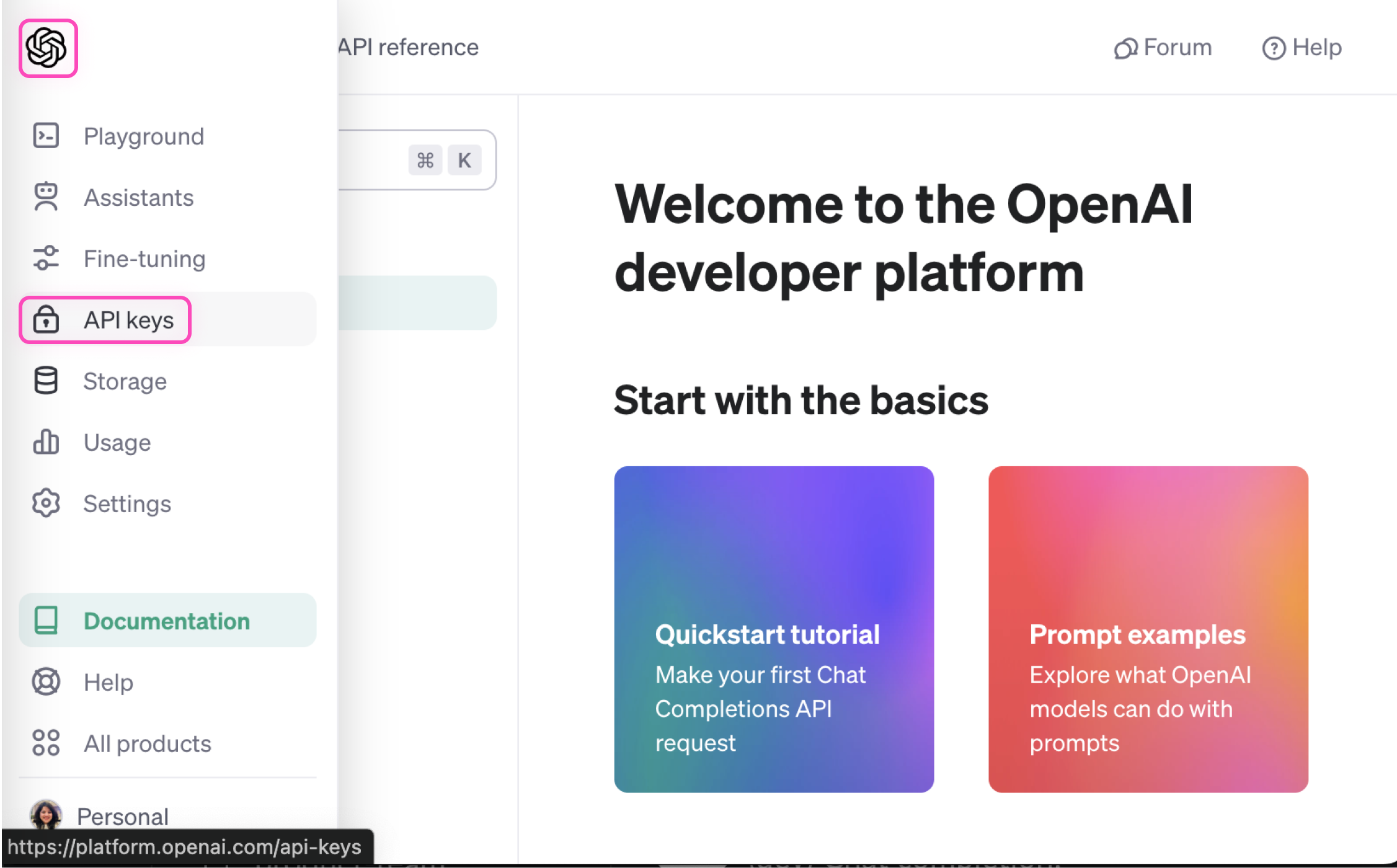
 To get this field head to the OpenAI dashboard. Hover over the OpenAI icon in the top left corner. Select API Keys from the left panel.
 Create a new API key using the Create new secret key button. Name your key and select suitable permissions.
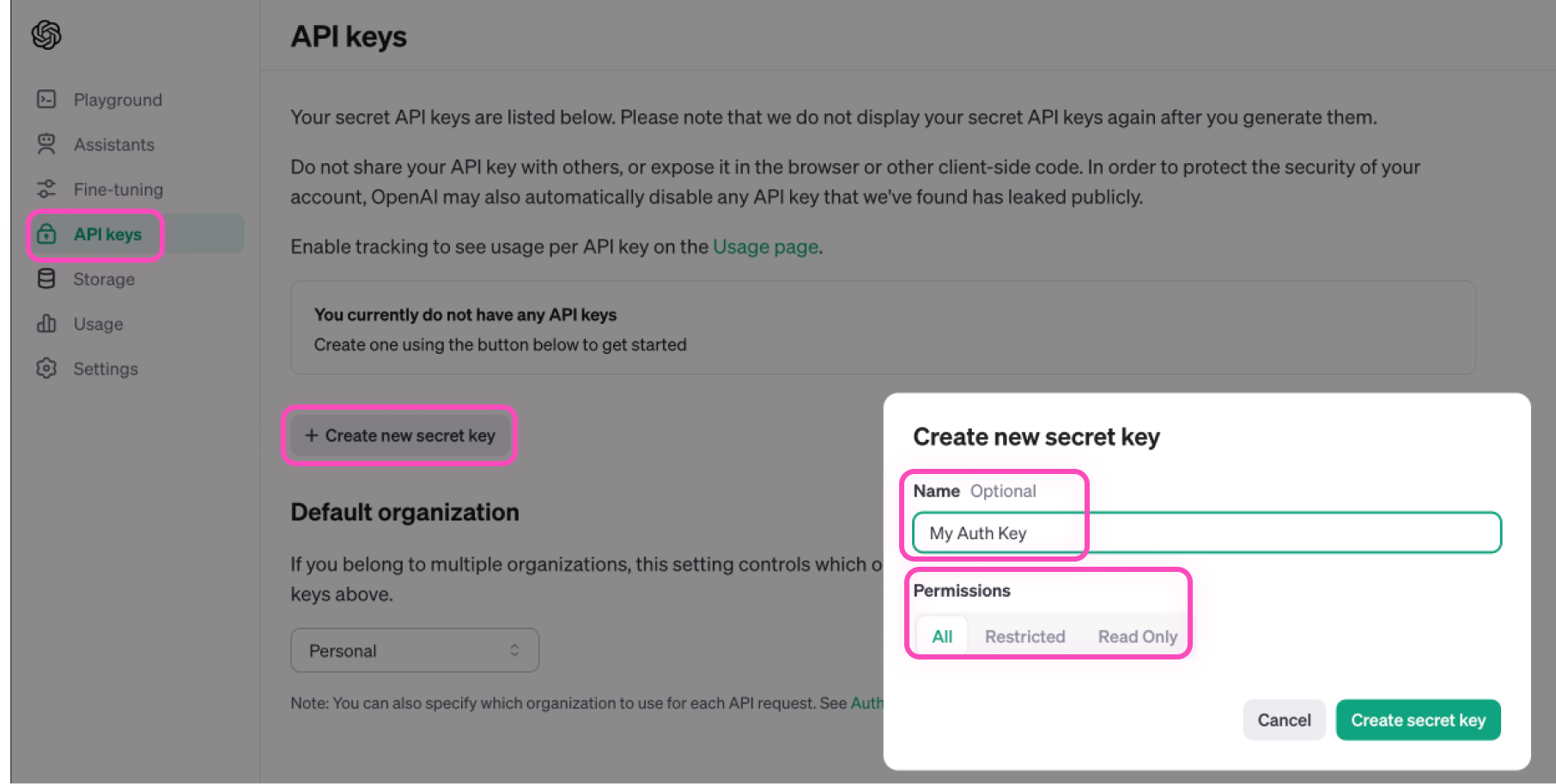 Please make sure to save your API key securely as you won't be able to view it again.
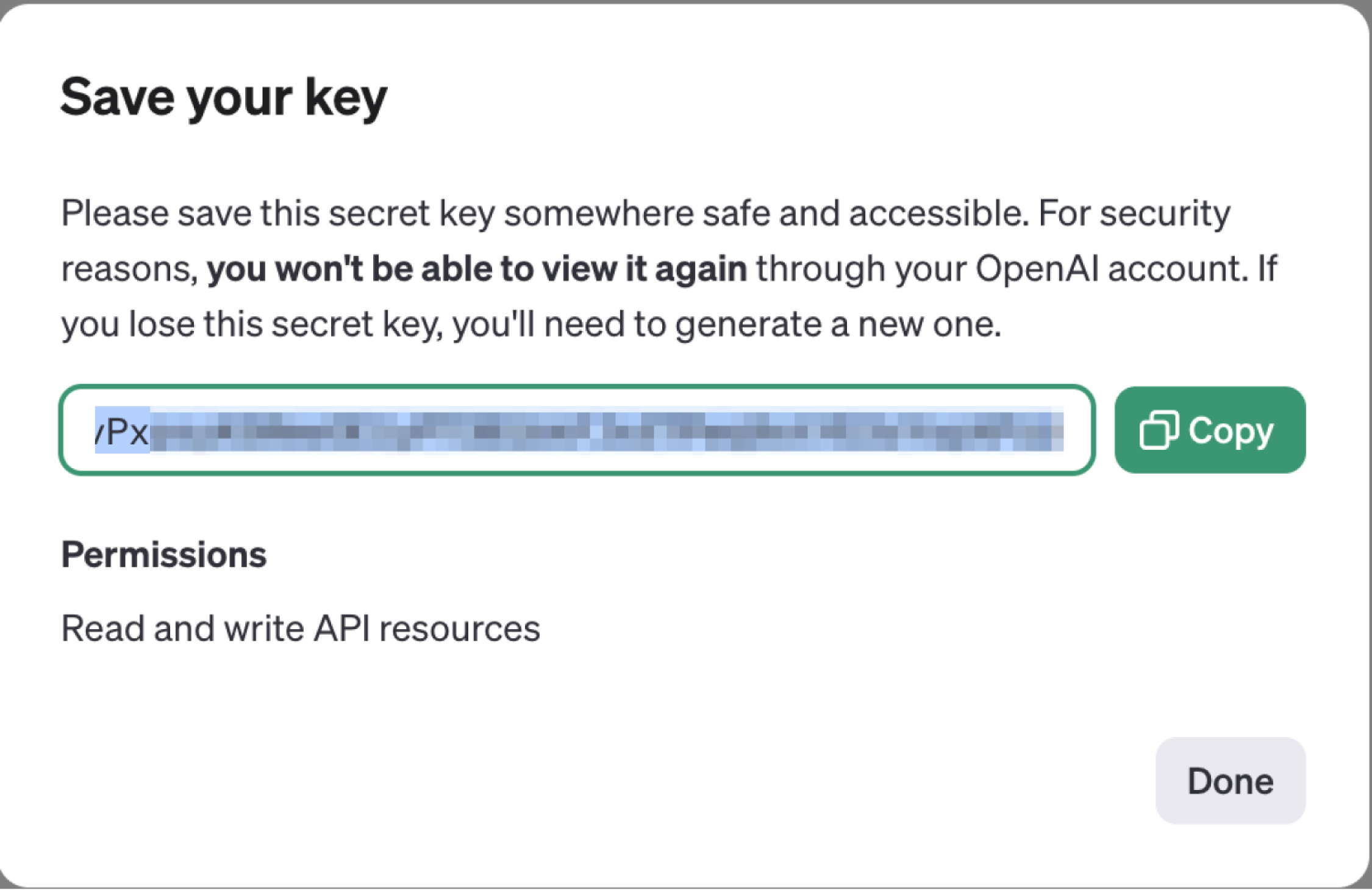 Once you have added this field to your Tray authentication pop-up window click the Create authentication button.
Go back to your settings authentication field (within the workflow builder properties panel), and select the recently added authentication from the available dropdown options. Your connector authentication setup is now complete.
Once you have added this field to your Tray authentication pop-up window click the Create authentication button.
Go back to your settings authentication field (within the workflow builder properties panel), and select the recently added authentication from the available dropdown options. Your connector authentication setup is now complete.
Available Operations
The OpenAI connector provides the following operations:
Create Chat Completion
Creates a model response for the given chat conversation.
- Use cases: Chatbots, conversational AI, text generation, code assistance
Create Embeddings
Creates an embedding vector representing the input text.
- Use cases: Semantic search, text similarity, document clustering, recommendation systems
Create Moderation
Classifies input text as potentially harmful across several categories.
- Use cases: Content filtering, safety checks, compliance monitoring
Create Speech
Generates audio from the input text.
- Use cases: Text-to-speech, audio generation, accessibility features
List Models
Lists currently available models with basic information about each model.
- Use cases: Dynamic model selection, availability checking, model discovery