Azure OpenAI
Configure the OpenAI connector to work with Azure OpenAI deployments using custom base URLs and Azure-specific authentication.
Overview
The OpenAI connector supports Azure OpenAI deployments. When using Azure OpenAI, you can configure a custom base URL in the authentication settings to point to your Azure OpenAI endpoint (e.g., https://your-resource.openai.azure.com/).
Azure OpenAI provides enterprise-grade security, compliance, and regional availability while offering access to OpenAI's models through Azure infrastructure.
Authentication Setup
Follow these steps to configure authentication with Azure OpenAI:
-
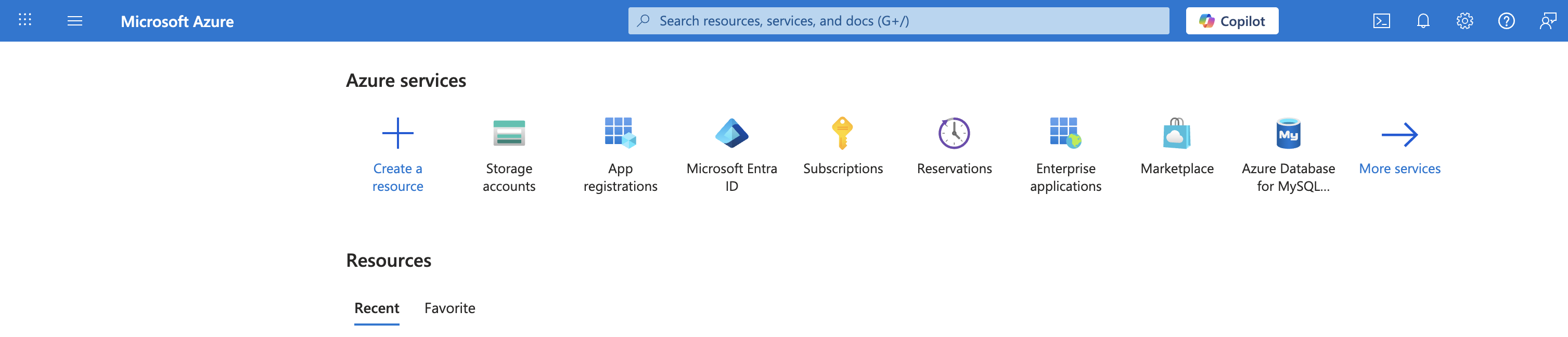
Sign in to your Microsoft Azure portal and click on Create a resource.
-
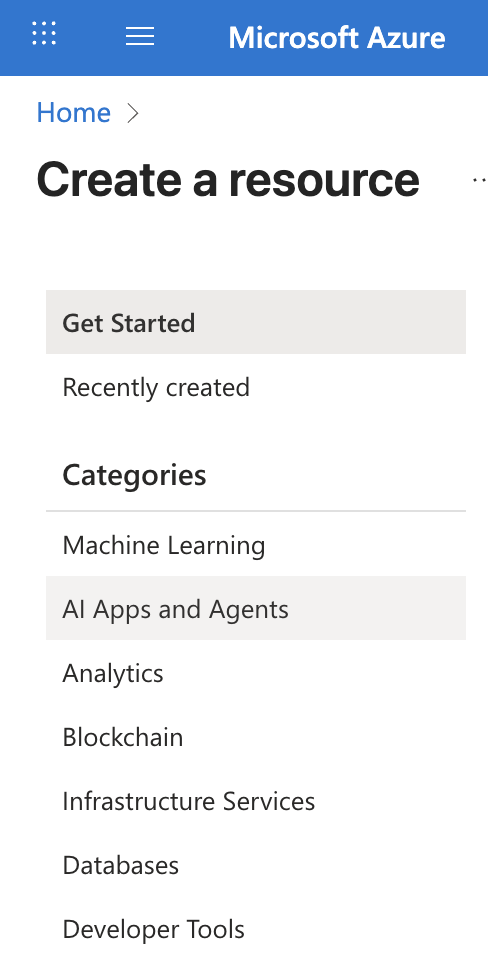
On the left side of the page, click on AI Apps and Agents.
-
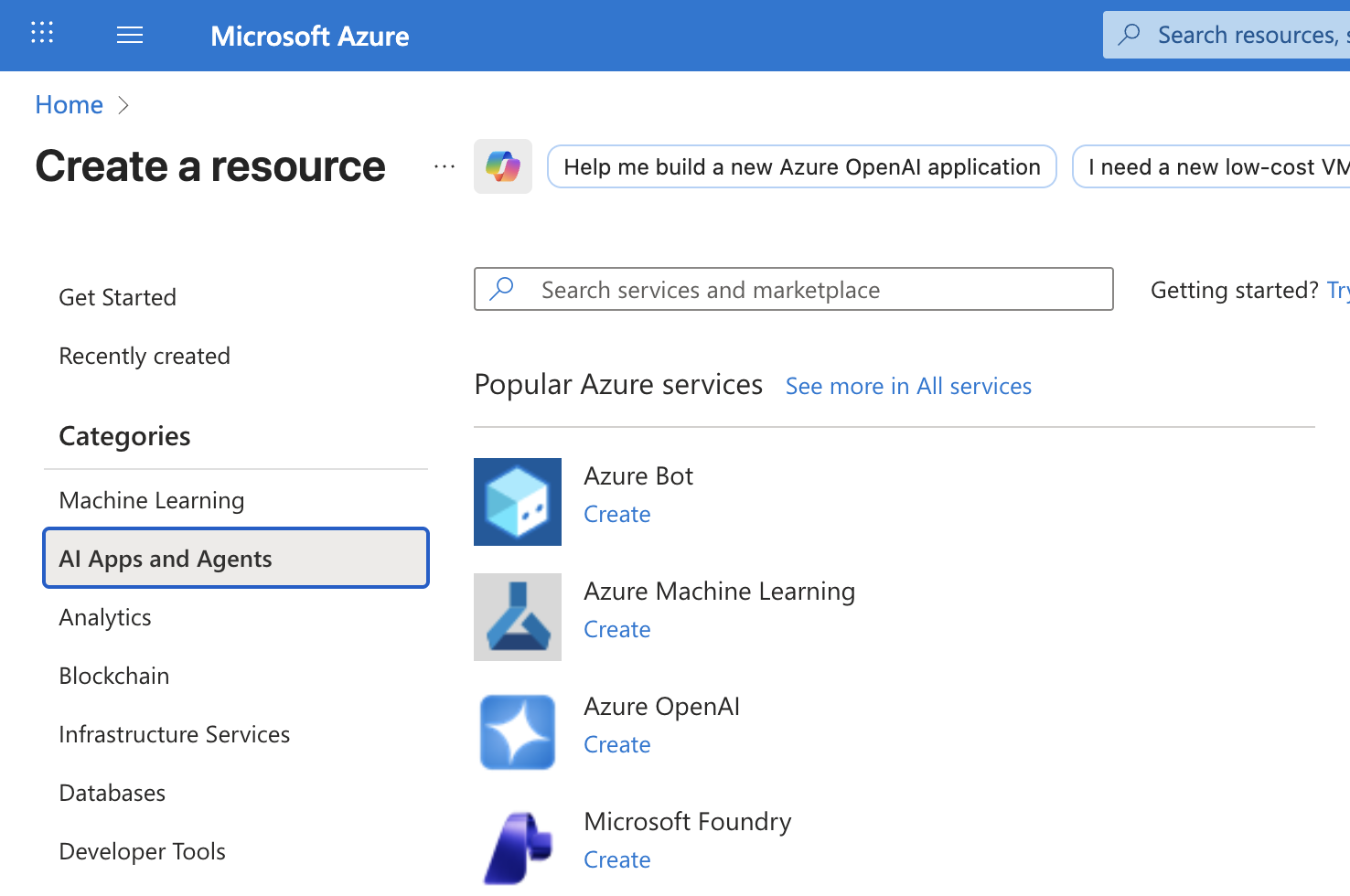
Locate Azure OpenAI in the Popular Azure services list and click Create.
-
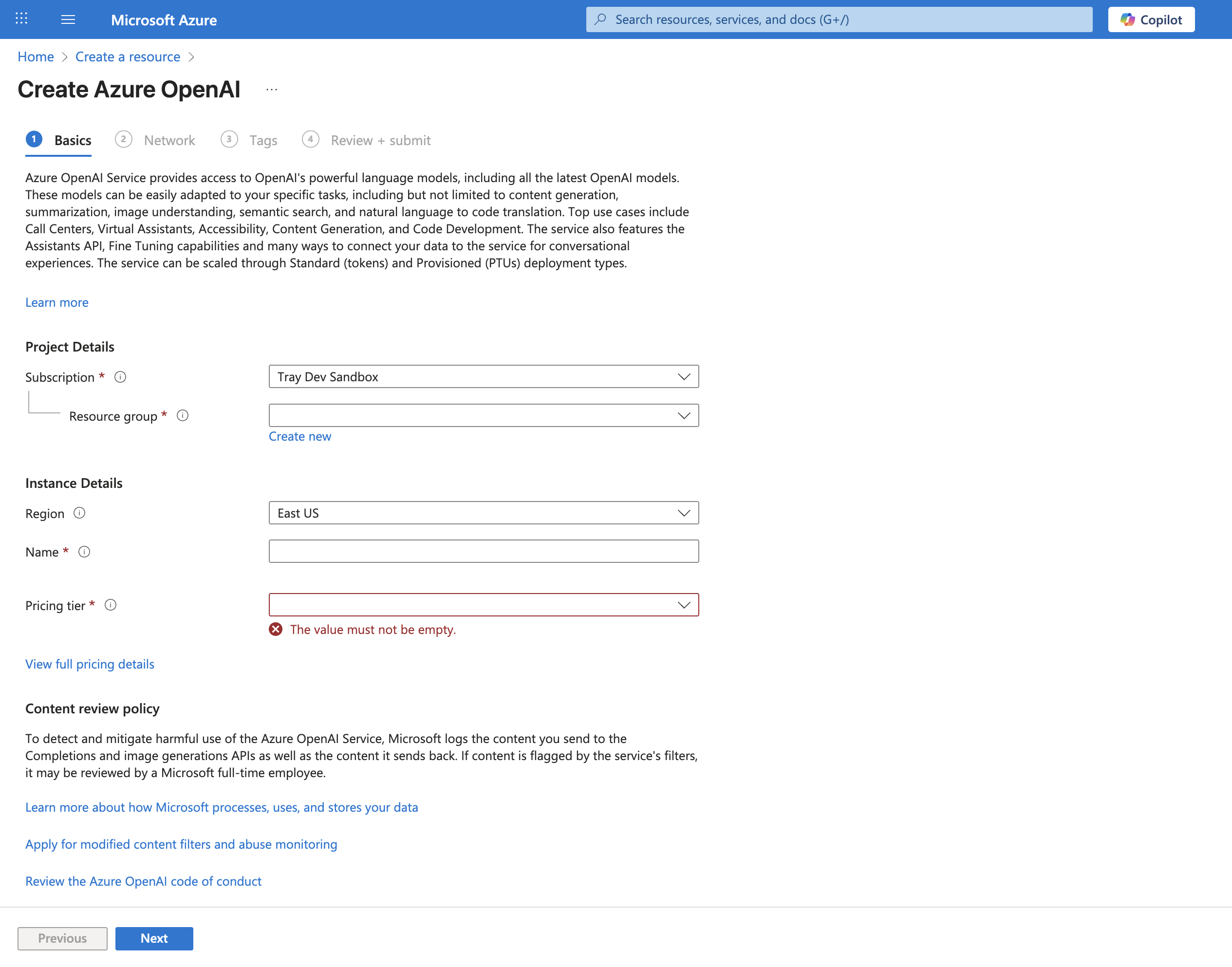
Fill out the required fields including Subscription, Resource Group, Region, and Name. Select a Pricing tier, then click through Networking and Review tabs before clicking Create to deploy the resource.
-
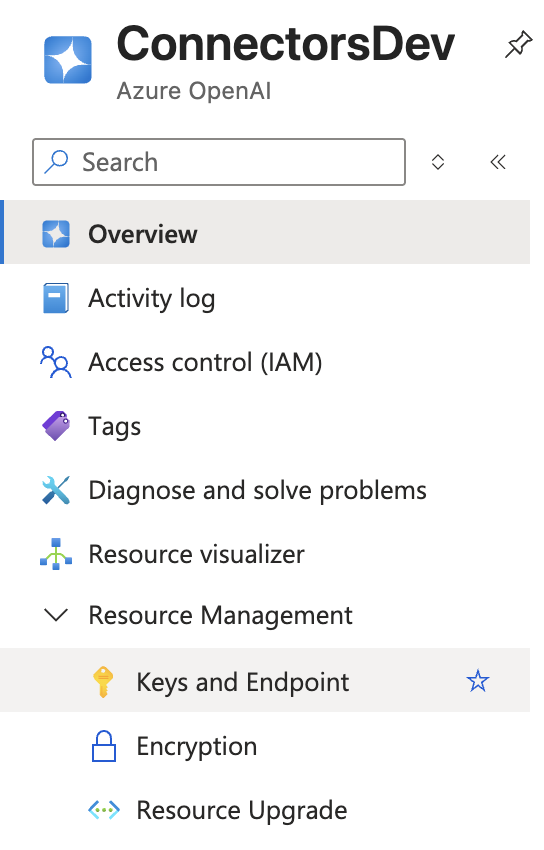
After deployment completes, navigate to the resource's Overview page and select Keys and Endpoint from the left sidebar under Resource Management.
-
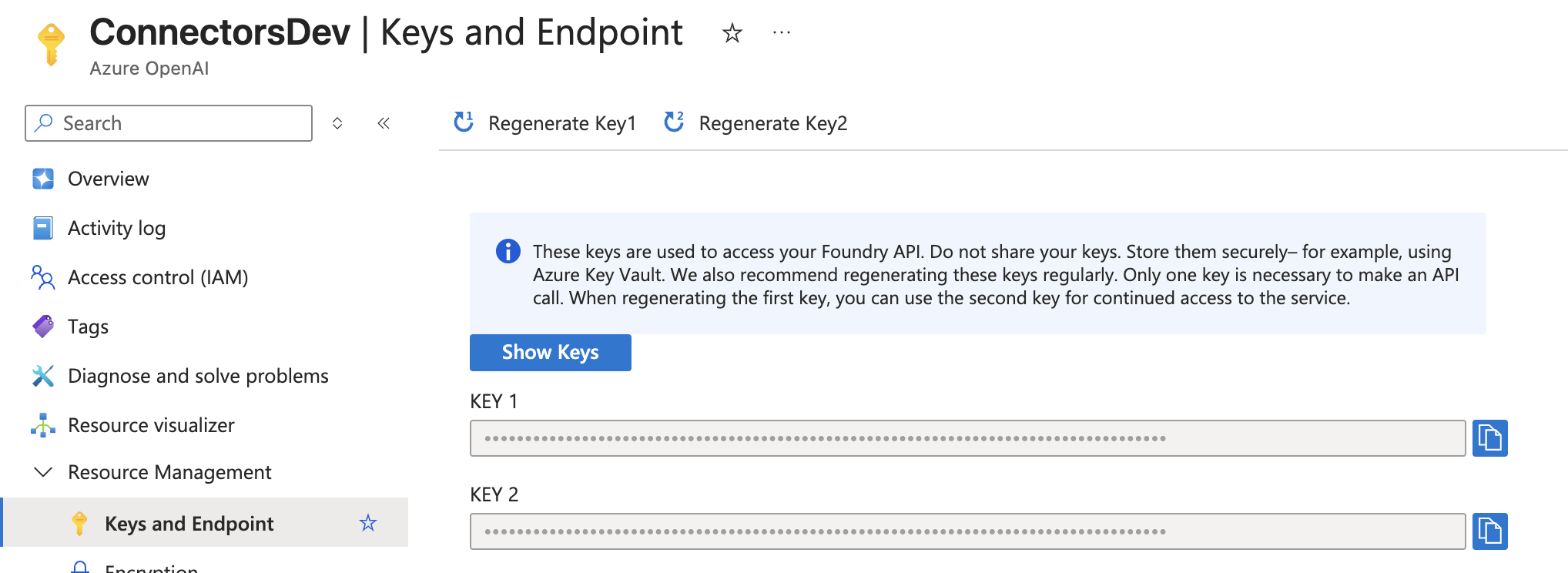
Copy one of the API keys (Key1 or Key2) using the copy button. You will use this key for authentication in Tray.io.
-
In Tray.io, create a new authentication and enter the API Key from Azure. In the Base URL field, enter your Azure OpenAI endpoint URL (e.g.,
https://your-resource.openai.azure.com/).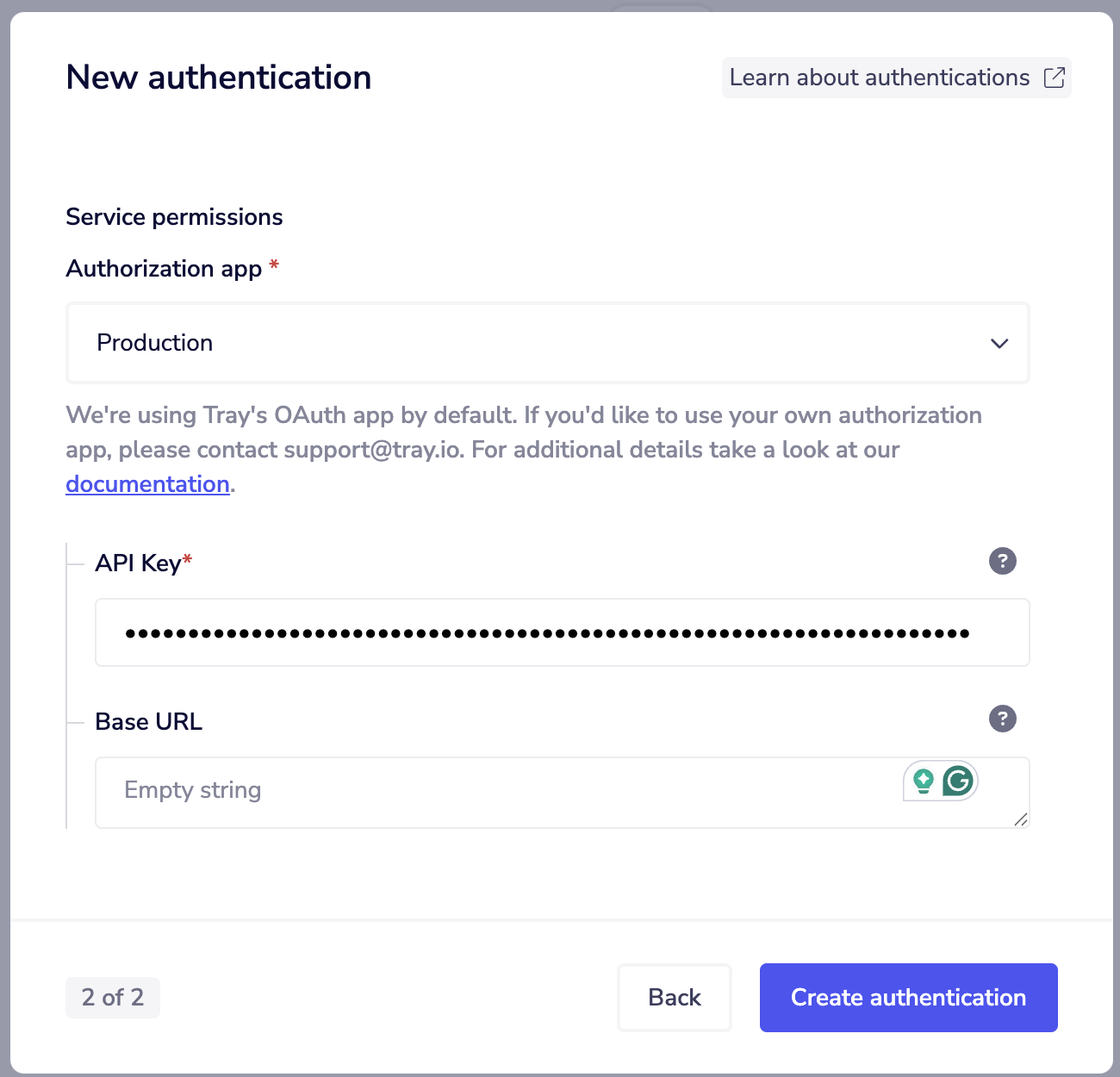
Important Considerations
When using Azure OpenAI, note that model naming conventions differ from standard OpenAI. Azure may also have restrictions on supported operations depending on your deployment region and configuration.
Model Naming Differences
Azure OpenAI uses deployment-based model naming, which differs from OpenAI's direct model names:
- OpenAI: Uses model names directly (e.g.,
gpt-4o,text-embedding-3-small) - Azure OpenAI: Uses deployment names that you configure when deploying a model
When configuring operations in Tray.io workflows, ensure you use the correct deployment name for your Azure OpenAI resource.
Operation Availability
Some operations may have restrictions or behave differently in Azure OpenAI depending on:
- Deployment region
- Model availability in your region
- Azure subscription tier
- Compliance and data residency requirements
Additional Resources
For more information about Azure OpenAI:
Base URL Configuration
The Base URL field in Tray.io authentication allows you to specify your Azure OpenAI endpoint. The format typically follows this pattern:
https://{your-resource-name}.openai.azure.com/
Replace {your-resource-name} with the name you specified when creating the Azure OpenAI resource.
Make sure to include the trailing slash (/) in your Base URL configuration to ensure proper API communication.